![Shape=Rounded Square@2x.png]](https://help.c8health.com/hs-fs/hubfs/Shape=Rounded%20Square@2x.png?height=40&name=Shape=Rounded%20Square@2x.png)
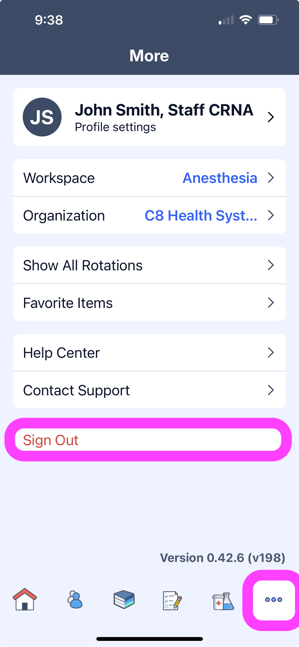
Whenever needed, you can easily log out of C8.
On Your Mobile or Tablet Device:
- Tap the three dots button in the bottom menu
- Press Sign out
- To log in again, follow the steps here!
On Your Computer:
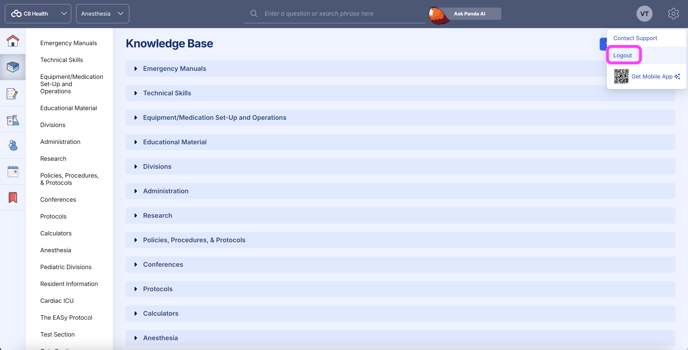
- Hover over the settings icon in the upper-right corner of your screen.
- Good to know: Our logo is visible on most pages of the site — if you can’t see it (it isn’t visible in a page with an open knowledge item, for example), click the Back button in the upper-left corner of your screen or go to app.c8health.com to return to the dashboard, where it will always be visible.
- Click Logout in the drop-down menu that appears
- To log in again, follow the steps here!